 Deutsch
 English
Multi Room Audio Player
Dieses Programm wird Ihnen präsentiert von:
Lesya Kurbasa Str. 3, #34
03148 Kyiv
Ukraine
| submit [at] pistonsoft [dot] com | |
| Website | www.pistonsoft.com |
| Kategorie: | Audio & Multimedia / Audio Datei-Player |
| Version: | 5 |
| Release-Datum: | 28.07.2015 |
| Größe: | 9,68 |
| Betriebssystem: | Win 7 / 2000 / 2003 / XP |
| Anforderungen: | Any audio device, sound card. |
| Sprachen: | Deutsch, Englisch |
| Downloads: | 5 im Juni / 623 insgesamt |
Bewertung: 2,33/10 (12 Stimmen abgegeben)
| Download: | multiroomaudioplayer.com/download/multi-room-audio-player.exe |
| Mirror 1: | multiroomaudioplayer.com/download/multi-room-audio-player.zip |
| Infoseite: | multiroomaudioplayer.com |
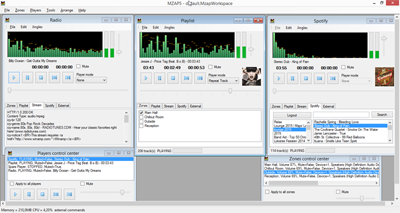
Multi Room Audio Player is far more than just another media player. With this solution, it is possible to utilize your available hardware in such a way that you can provide audio to multiple areas of a place such as a nightclub from a single, centralized solution. Each channel of each available soundcard can be used to play a separate audio stream, each one in a different location. This means that you know longer have to have separate machines each with their own media players. This saves time, money and makes the entire process far more efficient. Multi Room Audio Player is ideal for all kinds of public venues with multiple areas which need to have different music, such as shopping centers or nightclubs. The software also provides some welcome extra features, including a 12-band equalizer for each audio stream, support for a wide variety of formats, and playlist organizers. Multi Room Audio Player is mostly of use to those who are in charge of music in public venues, though there is also a cheaper license available for those who need it for personal use.
Einblenden / Ausblenden
Hier können Sie die Update-Infos für dieses Programm abonnieren. Sie erhalten dann zukünftig eine Benachrichtigung per Email, sobald ein Update zu diesem Programm eingetragen wurde.
Um die Update-Infos zu abonnieren, tragen Sie nachfolgend Ihre E-Mail-Adresse ein. Sie erhalten dann eine E-Mail mit einem Link, über den Sie das Abo bestätigen müssen.
Sie können die Update-Infos jederzeit wieder abbestellen. Hierzu finden Sie am Ende jeder E-Mail mit Update-Infos einen entsprechenden Link.
Dieser Service ist für Sie vollkommen kostenlos.
Kommentare zu Multi Room Audio Player
Einblenden / Ausblenden
Bisher gibt es keine Kommentare zu diesem Programm.
Selbst einen Kommentar schreiben