 Deutsch
 English
All My Books
Dieses Programm wird Ihnen präsentiert von:
Sovetskaya, 36
392000 Tambov
Russian Federation
| author [at] bolidesoft [dot] com | |
| Telefon | +1-847-329-9173 |
| Telefax | +1-847-329-9173 |
| Website | www.bolidesoft.com |
| Kategorie: | Heim & Hobby / Katalogisierung |
| Version: | 6.2 |
| Release-Datum: | 21.09.2026 |
| Größe: | 22,37 |
| Betriebssystem: | Win 7 / 8 / 10 / 11 |
| Anforderungen: | Windows 7, 8, 10 or 11; internet connection for online book lookups |
| Sprachen: | Deutsch, Englisch |
| Downloads: | 13 im September / 527 insgesamt |
Bewertung: 3,67/10 (9 Stimmen abgegeben)
| Download: | www.bolidesoft.com/software/amb_setup.exe |
| Infoseite: | www.bolidesoft.com/allmybooks.html |
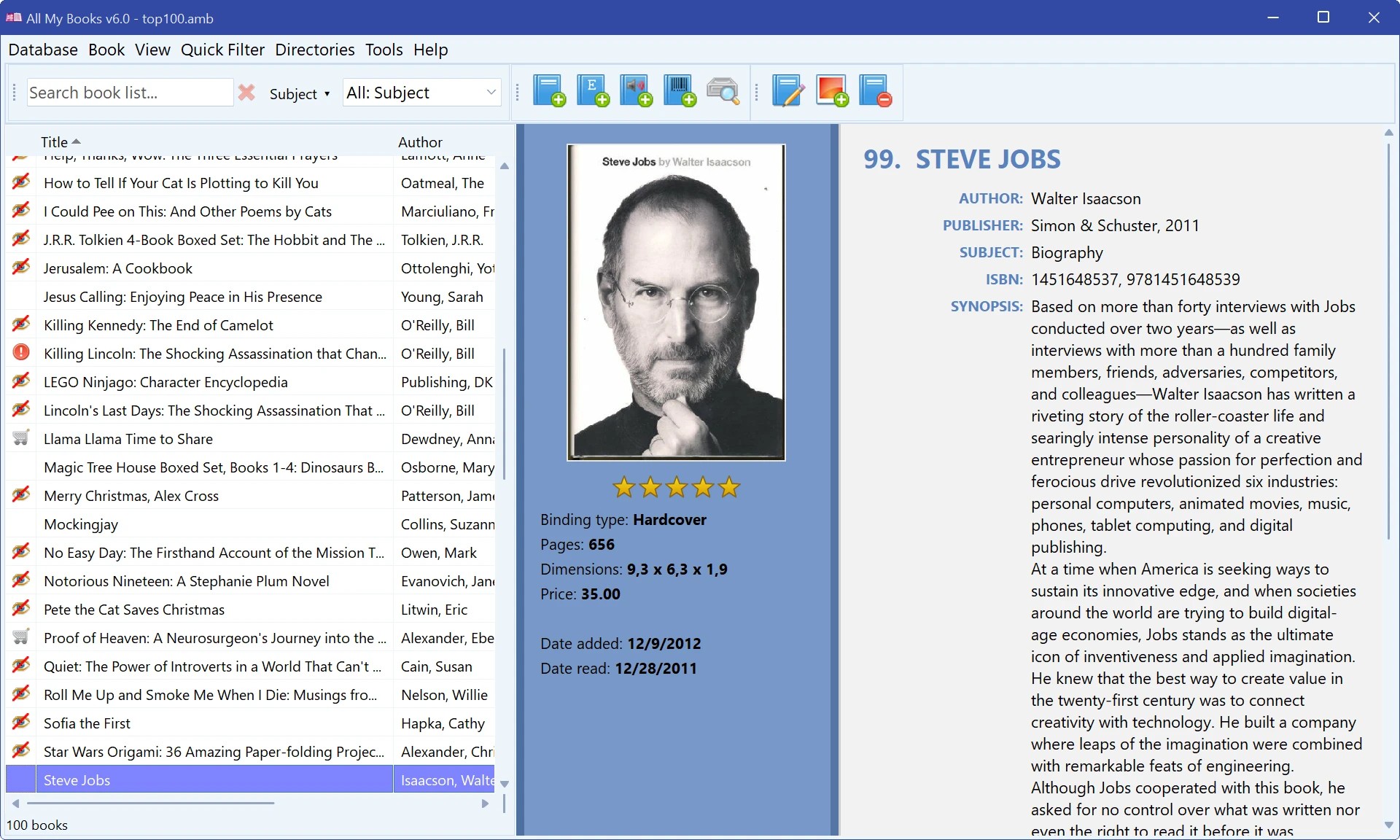
All My Books is a book organizer for Windows that catalogs your whole library - printed books on the shelf, e-book files on your drives and audiobooks.
Type a title, an author or an ISBN, and All My Books fills in the cover, authors, publisher, synopsis and other details from Goodreads, Google Books, ISBNdb, OpenLibrary and other online sources. Add books by barcode with a USB scanner or just a webcam, or scan a drive to add hundreds of e-books and audiobooks at once: metadata and covers are read from EPUB, FB2, MOBI, PDF, DOCX and other files.
Browse the catalog as a list, cover thumbnails, a virtual bookshelf or cover flow; group it by author, series, subject or location; search in any field. Keep track of what you have read, what is on your wishlist and which book a friend has borrowed. Print the collection, save it to PDF, export it to HTML, Excel or text, and keep automatic backups in your cloud folder.
Version 6 is the biggest update in the program's history: rebuilt from the ground up on a modern platform, faster, sharp on 4K and HiDPI screens, with a dark theme. Import your collection from Calibre, Book Collector, Readerware, Booknizer, Alfa Ebooks Manager, BookCAT and others, or from Excel and CSV - Microsoft Office is not required.
The first 30 days are fully unrestricted; after that the program stays free with a limit of 100 books in the database.
Einblenden / Ausblenden
Hier können Sie die Update-Infos für dieses Programm abonnieren. Sie erhalten dann zukünftig eine Benachrichtigung per Email, sobald ein Update zu diesem Programm eingetragen wurde.
Um die Update-Infos zu abonnieren, tragen Sie nachfolgend Ihre E-Mail-Adresse ein. Sie erhalten dann eine E-Mail mit einem Link, über den Sie das Abo bestätigen müssen.
Sie können die Update-Infos jederzeit wieder abbestellen. Hierzu finden Sie am Ende jeder E-Mail mit Update-Infos einen entsprechenden Link.
Dieser Service ist für Sie vollkommen kostenlos.
Kommentare zu All My Books
Einblenden / Ausblenden
Bisher gibt es keine Kommentare zu diesem Programm.
Selbst einen Kommentar schreiben