 Deutsch
 English
File Checksum Tool
Dieses Programm wird Ihnen präsentiert von:
300 Fourth Ave
98194 Seattle
Ukraine
| submit [at] krylack [dot] com | |
| Telefon | +12095556622 |
| Telefax | +12095556622 |
| Website | www.krylack.com |
| Kategorie: | System Utilities / Datei- & HDD-Management |
| Version: | 2.0.0 |
| Release-Datum: | 02.10.2026 |
| Größe: | 739 |
| Betriebssystem: | Win 7 / 8 / 10 / 11 / Server |
| Anforderungen: | Windows 7 SP1, 8, 8.1, 10 and 11 (x86, x64 and ARM64). |
| Sprachen: | Englisch |
| Downloads: | 2 im Oktober / 76 insgesamt |
Bewertung: 5,50/10 (4 Stimmen abgegeben)
| Download: | dl.krylack.com/hashtool.exe |
| Infoseite: | www.krylack.com/file-checksum-tool |
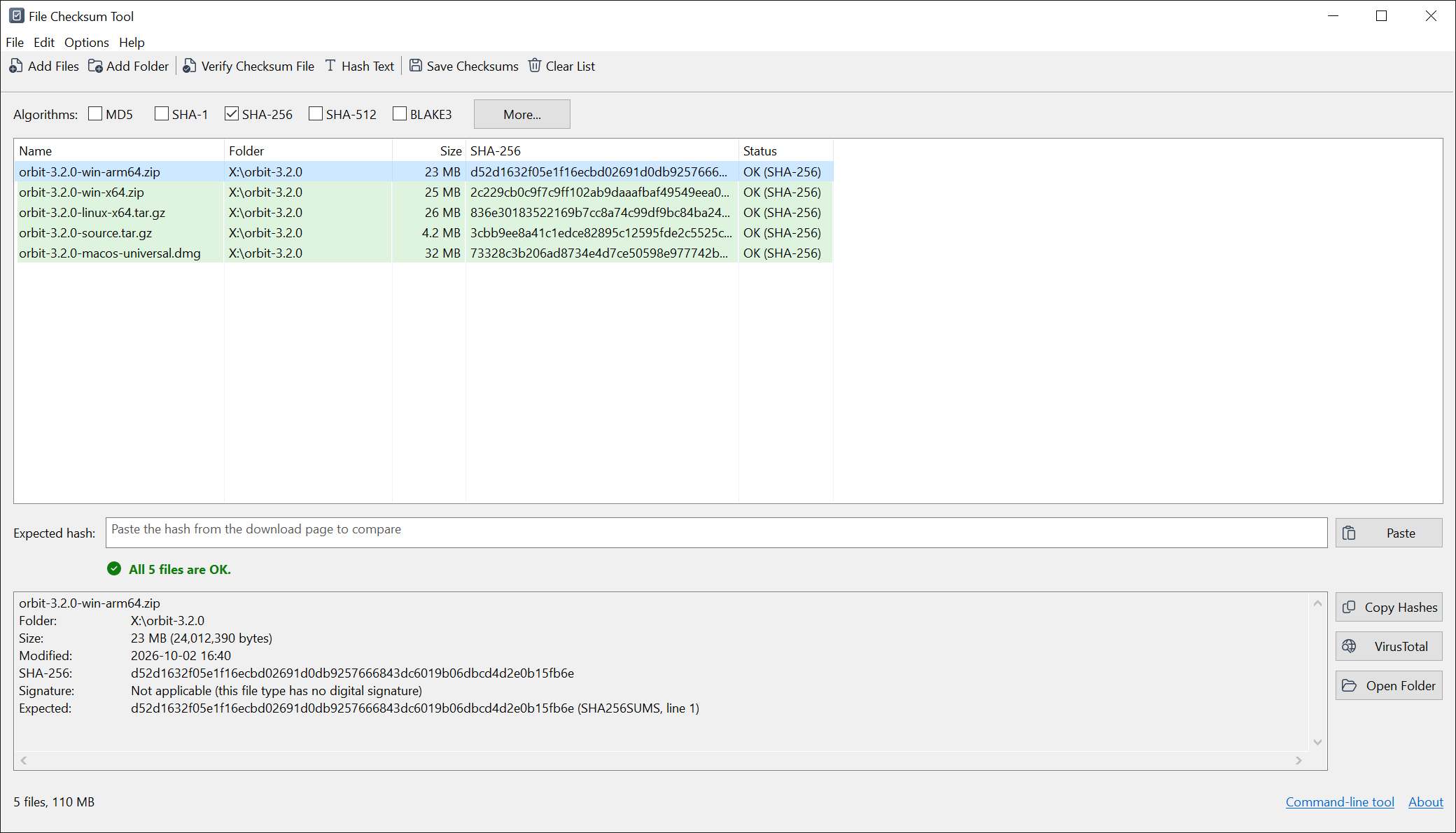
File Checksum Tool is a free Windows utility that computes and verifies checksums for your files. A checksum, or hash, is a short fingerprint calculated from a file's contents: change a single byte and the hash changes completely, so comparing a file's hash with the value its source published is a quick, reliable way to confirm the file arrived intact. The one-step check is the point. Paste the hash from a download page and pick your file; it detects the algorithm for you and shows a plain green Match or red No match. Or verify a whole checksum file - SHA256SUMS, .sha256, .md5, .sfv, BSD-tagged, xxhsum, even PGP clear-signed ones - and every entry is marked OK, FAILED or missing. Add as many files and folders as you like; each file is read once for all the algorithms you have selected, and large files hash in the background with progress and Cancel. It computes MD5, SHA-1, the SHA-2 and SHA-3 families, BLAKE3, CRC32 and xxHash, plus legacy MD2 and MD4. It also shows a file's digital signature and the address it was downloaded from when Windows recorded one, and can look any file up on VirusTotal by its hash. Save results as sha256sum, BSD, SFV, CSV or JSON, hash typed text, and verify straight from the Explorer right-click menu. A command-line tool, fchash, is included for scripting. File Checksum Tool runs on Windows 7 SP1 through Windows 11, as 32-bit, 64-bit and ARM64 programs, and the application and setup are code-signed. It is free to download and use, for files on a computer you control.
Einblenden / Ausblenden
Hier können Sie die Update-Infos für dieses Programm abonnieren. Sie erhalten dann zukünftig eine Benachrichtigung per Email, sobald ein Update zu diesem Programm eingetragen wurde.
Um die Update-Infos zu abonnieren, tragen Sie nachfolgend Ihre E-Mail-Adresse ein. Sie erhalten dann eine E-Mail mit einem Link, über den Sie das Abo bestätigen müssen.
Sie können die Update-Infos jederzeit wieder abbestellen. Hierzu finden Sie am Ende jeder E-Mail mit Update-Infos einen entsprechenden Link.
Dieser Service ist für Sie vollkommen kostenlos.
Kommentare zu File Checksum Tool
Einblenden / Ausblenden
Bisher gibt es keine Kommentare zu diesem Programm.
Selbst einen Kommentar schreiben