 Deutsch
 English
Ashampoo Photo Commander FREE
This programme is presented to you by:
Schafjückenweg 2
26125 26180 Rastede
Deutschland / Germany
| aw [at] ashampoo [dot] com | |
| Phone | ++49 +4402 9739-200 |
| Facsimile | ++49 +4402 9739-409 |
| Website | www.ashampoo.com |
| Category: | Graphic Apps / Viewers |
| Version: | 16.3.4 |
| Release date: | 2026-01-23 |
| Size: | 386.12 |
| Requirements: | Operating System Windows® 11, Windows® 10 Requirements Any device that supports the operating … |
| Languages: | German, English |
| Downloads: | 1 in June / 101 in total |
Rating: 4.75/10 (8 votes cast)
| Download: | www.ashampoo.com/ashampoo_photo_commander_free_sm.exe |
| Infopage: | www.ashampoo.com/de-de/photo-commander-free |
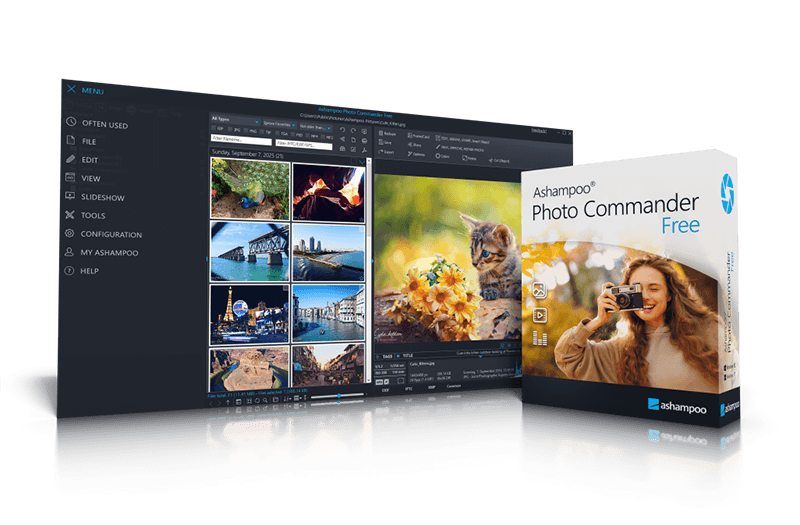
Ashampoo Photo Commander FREE is a free all-in-one solution for managing, editing, and presenting digital photos. The software combines image viewing, organization, and photo editing in a clear and powerful interface and is suitable for beginners as well as users with extensive photo collections. Images can be easily sorted, filtered, grouped, renamed, and converted into numerous formats. Automatic correction functions optimize colors, contrast, and brightness, while manual tools allow precise adjustments. Effects, text elements, collages, and repair tools to remove image flaws or unwanted objects further expand the creative toolset. In addition, the software offers modern features such as managing photos based on GPS data and displaying shooting locations on maps. The presentation feature offers multi-monitor support, smooth image animations, and music-enhanced slideshows. The intelligent photo importer enables structured transfers of photos and videos directly from cameras or memory cards. Ashampoo Photo Commander FREE supports a wide range of modern image formats, including web formats, RAW files, and extended metadata. Tools for cropping people and objects, perspective correction, and targeted effect further complement the feature set.
Feature highlights::
- Comfortably manage and organize photos
- View and present photos – including multi-monitor support
- Easy photo editing – automatic or manual
- Creative design with effects, text, and graphics
- Visualize locations with maps and geo features
- Print, share, and reuse
- Comfortably manage, sort, filter, and group photos
- Fast image search, even in large photo collections
- Rename, convert, and batch-process images
- Detect and selectively remove duplicate photos
- Automatic image optimization for better colors, contrast, and brightness
- Manual photo editing with sliders for sharpness, gamma, color temperature, and more
- Remove image noise, scratches, spots, and red-eye effects
- Straighten horizons and correct image flaws
- Extensive effects library for creative image styles
- Add text, symbols, arrows, and speech bubbles directly to images
- Easily create collages from multiple ph
Show / Hide
Here you can subscribe for the update infos for this programme. You will then receive an e-mail notice each time an update has been submitted for this programme.
In order to subscribe for the update infos, please enter your e-mail address below. You will then receive an e-mail with a link, which you need to click in order to confirm you subscription.
You can unsubscribe from the list at any time. For this purpose, you will find a link at the end of each update info e-mail.
This service is completely free of charge for you.