 Deutsch
 English
Ashampoo Snap Pro 26
This programme is presented to you by:
Schafjückenweg 2
26125 26180 Rastede
Deutschland / Germany
| aw [at] ashampoo [dot] com | |
| Phone | ++49 +4402 9739-200 |
| Facsimile | ++49 +4402 9739-409 |
| Website | www.ashampoo.com |
| Category: | Business / Office Suites & Tools |
| Version: | 26.0.6 |
| Release date: | 2026-09-17 |
| Size: | 249.86 |
| Requirements: | Operating System Windows® 11 (64bit), Windows® 10 (64bit) Software: .NET Desktop Runtime 9 (… |
| Languages: | German |
| Downloads: | 2 in October / 405 in total |
Rating: 4.00/10 (8 votes cast)
| Download: | www.ashampoo.com/ashampoo_snap_pro_26.exe |
| Infopage: | www.ashampoo.com/en-us/snap |
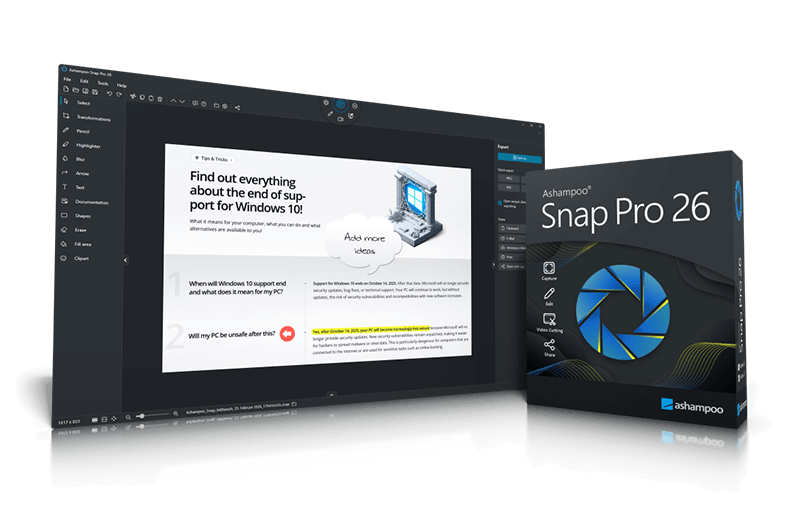
Ashampoo Snap Pro 26 is a software solution for screenshots and video captures on Windows. Screen portions, entire windows, or scrollable content can be captured quickly and then edited in the integrated editor. Arrows, text, highlights, comments, and graphic elements help explain content clearly. Recordings can be saved, further processed, or shared directly. Video captures can also be created and exported with ease. Snap is ideal for documentation, customer support cases, presentations, tutorials, and quick explanations in everyday work. Version 26 features Live Edit to annotate screen contents live before capturing. What you see is what you get: Arrows, text, and highlights appear precisely where they should be in the final image. Since the screen remains active, windows can be moved, content adjusted, or videos continued before the screenshot is taken. In addition, the technical foundation of Snap has been fully modernized. The program responds faster, runs more reliably, and uses system resources more efficiently. Version 26 also comes with an optimized toolbar, a newly structured properties bar, an improved UI color scheme, and Quick Scroll for easier navigation in large captures. Additional enhancements include improved drag-and-drop for cliparts and images, more precise annotation tools, additional output formats for emailing, margin settings in centimeters in the print dialog, and adjustable video quality for smaller video files.
- Live Edit: Comment and annotate screen contents directly on your desktop
- Create live screenshots while the desktop remains active
- Prepare and create multiple screenshots in one go
- Huge multi-display spanning canvas
- Pixel-precision with cursor movement in one-pixel increments
- Convert screen contents into freely positionable text and image elements
- Better performance, stability, and resource efficiency
- Optimized toolbar for faster workflow
- Redesigned properties bar for visual clarity
- Improved color scheme for better readability
- Quick Scroll for fast navigation of large captures
- Faster web exports through modernized upload
- Improved drag-and-drop support for cliparts and imported image
Show / Hide
Here you can subscribe for the update infos for this programme. You will then receive an e-mail notice each time an update has been submitted for this programme.
In order to subscribe for the update infos, please enter your e-mail address below. You will then receive an e-mail with a link, which you need to click in order to confirm you subscription.
You can unsubscribe from the list at any time. For this purpose, you will find a link at the end of each update info e-mail.
This service is completely free of charge for you.