 Deutsch
 English
Ashampoo Photo Collage
This programme is presented to you by:
Schafjückenweg 2
26125 26180 Rastede
Deutschland / Germany
| aw [at] ashampoo [dot] com | |
| Phone | ++49 +4402 9739-200 |
| Facsimile | ++49 +4402 9739-409 |
| Website | www.ashampoo.com |
| Category: | Graphic Apps / Gallery & Cataloging Tools |
| Version: | 1.0.2 |
| Release date: | 2026-11-04 |
| Size: | 104.35 |
| Requirements: | Operating System: Windows® 11, Windows® 10 (x64) Requirements Any device that supports the ope… |
| Languages: | German |
| Downloads: | 7 in November / 7 in total |
Rating: 0/10 (0 votes cast)
| Download: | www.ashampoo.com/ashampoo_photo_collage.exe |
| Infopage: | www.ashampoo.com/en-us/photo-collage |
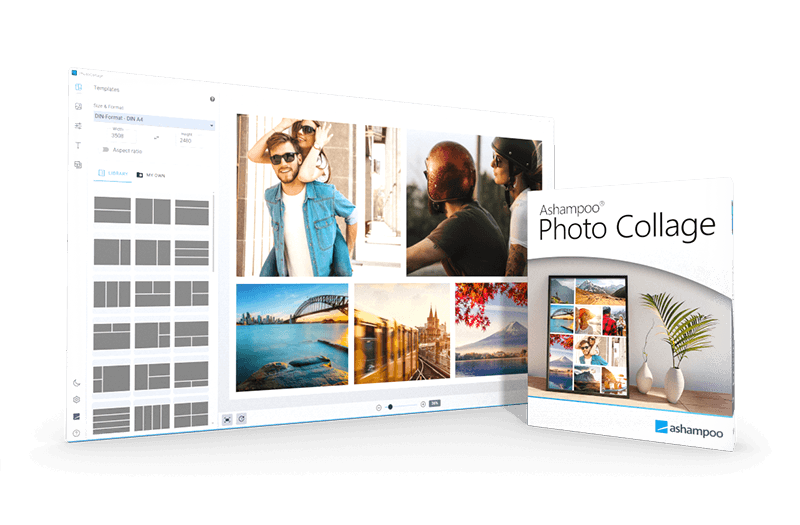
Ashampoo Photo Collage is software for creating personalized photo collages. Photos can be arranged in flexible grids and enhanced with custom text, colors, and backgrounds. Preset sizes for social media stories, feed posts, A5 and A4 paper, and common photo frames, along with custom dimensions, provide the starting point. The grid can be adjusted independently of the chosen size: Photo cells can be added, split, or removed, and dividing lines can be moved. This gives individual photos more space while other pictures complete the collage. Imported photos are dragged and dropped into cells, and photos already placed in the collage can be swapped. Smooth zooming and repositioning let users adjust the crop directly within each cell. Photos already used can be hidden in the photo pool. Spacing between photos, outer borders, background colors, and rounded photo corners can be customized. Users can also create their own backgrounds and edit their patterns and colors. Freely positioned text boxes offer settings for font, size, color, and alignment. Text shadows can be adjusted for blur, distance, angle, color, and opacity, with changes visible instantly. Automatic saving preserves the current work in the background. Complete projects, including the photo grid, images, crops, styling, and text, can be saved, loaded, and edited later.
- Use preset sizes for social media, A5 and A4 paper, and photo frames, or enter custom dimensions
- Add, split, or remove photo cells and move dividing lines
- Hide photos you’ve already used in the photo pool
- Drag and drop photos to place and swap them
- Smoothly zoom and reposition photos within their cells
- Adjust spacing, borders, and colors, and round photo corners
- Position text freely and choose the font, size, color, and alignment
- Adjust text shadows in real time
- Automatically save and restore your work
- Save collage projects and continue editing later
- Create custom backgrounds and edit their patterns and colors
Show / Hide
Here you can subscribe for the update infos for this programme. You will then receive an e-mail notice each time an update has been submitted for this programme.
In order to subscribe for the update infos, please enter your e-mail address below. You will then receive an e-mail with a link, which you need to click in order to confirm you subscription.
You can unsubscribe from the list at any time. For this purpose, you will find a link at the end of each update info e-mail.
This service is completely free of charge for you.