 Deutsch
 English
All My Books
This programme is presented to you by:
Sovetskaya, 36
392000 Tambov
Russian Federation
| author [at] bolidesoft [dot] com | |
| Phone | +1-847-329-9173 |
| Facsimile | +1-847-329-9173 |
| Website | www.bolidesoft.com |
| Category: | Home & Hobby / Cataloging |
| Version: | 6.2 |
| Release date: | 2026-09-21 |
| Size: | 22.37 |
| OS: | Win 7 / 8 / 10 / 11 |
| Requirements: | Windows 7, 8, 10 or 11; internet connection for online book lookups |
| Languages: | German, English |
| Downloads: | 0 in October / 528 in total |
Rating: 3.67/10 (9 votes cast)
| Download: | www.bolidesoft.com/software/amb_setup.exe |
| Infopage: | www.bolidesoft.com/allmybooks.html |
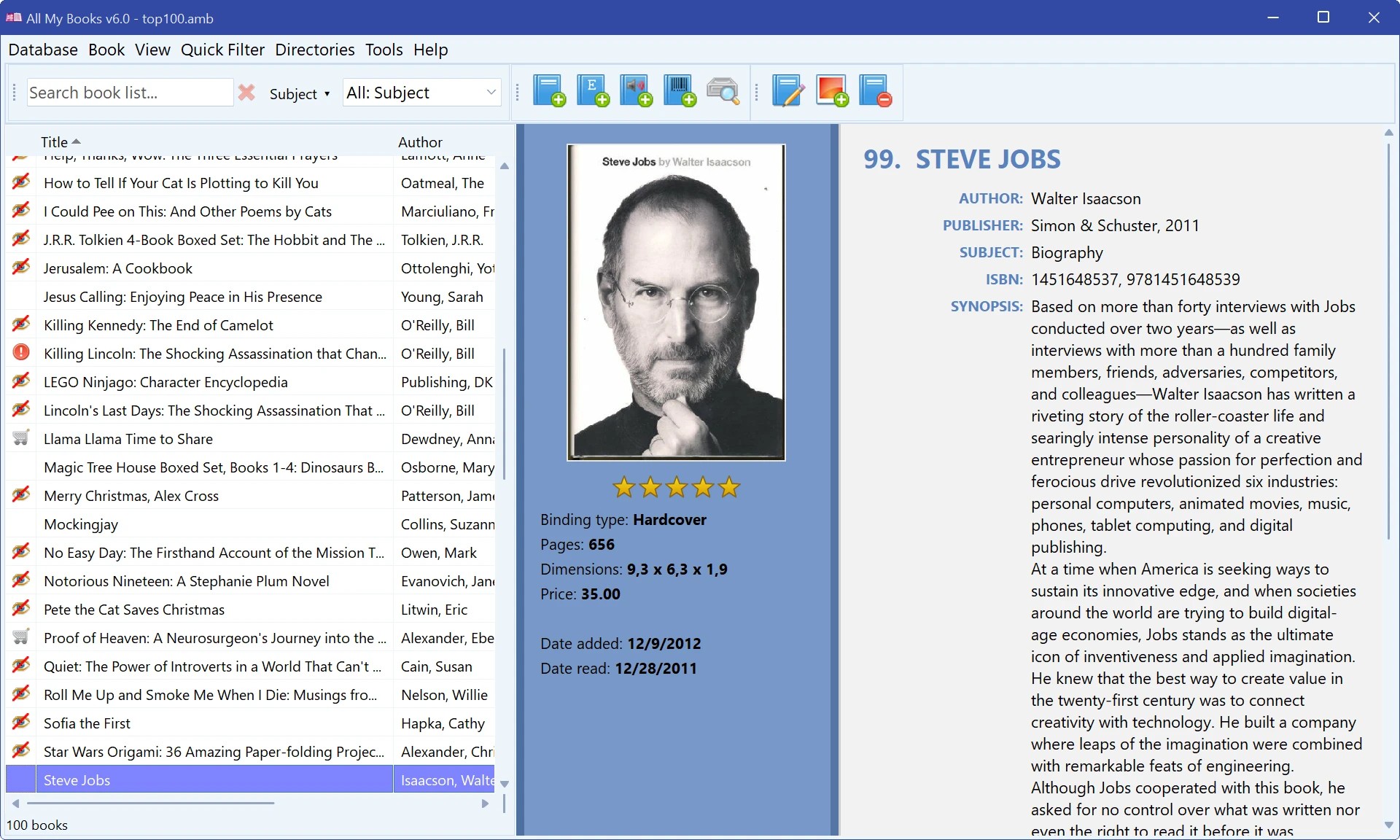
All My Books is a book organizer for Windows that catalogs your whole library - printed books on the shelf, e-book files on your drives and audiobooks.
Type a title, an author or an ISBN, and All My Books fills in the cover, authors, publisher, synopsis and other details from Goodreads, Google Books, ISBNdb, OpenLibrary and other online sources. Add books by barcode with a USB scanner or just a webcam, or scan a drive to add hundreds of e-books and audiobooks at once: metadata and covers are read from EPUB, FB2, MOBI, PDF, DOCX and other files.
Browse the catalog as a list, cover thumbnails, a virtual bookshelf or cover flow; group it by author, series, subject or location; search in any field. Keep track of what you have read, what is on your wishlist and which book a friend has borrowed. Print the collection, save it to PDF, export it to HTML, Excel or text, and keep automatic backups in your cloud folder.
Version 6 is the biggest update in the program's history: rebuilt from the ground up on a modern platform, faster, sharp on 4K and HiDPI screens, with a dark theme. Import your collection from Calibre, Book Collector, Readerware, Booknizer, Alfa Ebooks Manager, BookCAT and others, or from Excel and CSV - Microsoft Office is not required.
The first 30 days are fully unrestricted; after that the program stays free with a limit of 100 books in the database.
Show / Hide
Here you can subscribe for the update infos for this programme. You will then receive an e-mail notice each time an update has been submitted for this programme.
In order to subscribe for the update infos, please enter your e-mail address below. You will then receive an e-mail with a link, which you need to click in order to confirm you subscription.
You can unsubscribe from the list at any time. For this purpose, you will find a link at the end of each update info e-mail.
This service is completely free of charge for you.