 Deutsch
 English
Apeaksoft iPhone Transfer for Mac
This programme is presented to you by:
Building 2,No.109,Software Avenue,Yuhuat
210000 Nan Jing
China
| submit [at] apeaksoft [dot] com | |
| Phone | none |
| Facsimile | none |
| Website | www.apeaksoft.com |
| Support | www.apeaksoft.com/support |
| Category: | System Utilities / Backup & Restore |
| Version: | 2.0.92 |
| Release date: | 2026-08-12 |
| Size: | 48.54 |
| OS: | Mac OS X 10.12 Sierra and all later macOS versions up to macOS 26 Tahoe |
| Requirements: | Processor: 1GHz Intel processor or Apple M-series chip; RAM: 1GB or higher |
| Languages: | German, English, Other |
| Downloads: | 1 in August / 51 in total |
Rating: 2.25/10 (8 votes cast)
| Download: | downloads.apeaksoft.com/mac/iphone-transfer-for-mac.dmg |
| Infopage: | www.apeaksoft.com/iphone-transfer |
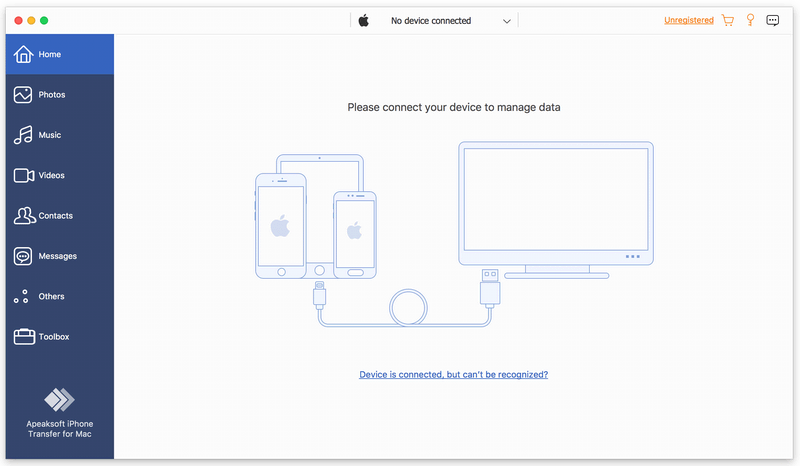
Apeaksoft iPhone Transfer for Mac can back up messages, contacts, pictures, music, videos, books, PDFs, and more between an iOS device and Mac, or between any two iOS devices. It supports all kinds of portable iOS devices, including iPhone, iPad, and iPod touch.
Key features:
1. Flexible file transfer
Apeaksoft iPhone Transfer for Mac is a powerful file transfer tool. It transfers data not only from an iOS device to Mac, but also directly between two iOS devices. It also lets you copy iOS data to iTunes with ease.
2. Break free of iTunes limitations
Apeaksoft iPhone Transfer for Mac removes the common restrictions caused by iTunes — such as data being erased during syncing, one-way-only transfers, being forced to copy all data without selection, various iTunes errors, and the inability to preview your data. With Apeaksoft iPhone Transfer for Mac, you can transfer your data more quickly and conveniently, free from all of these limitations.
3. Customize your iTunes library
Apeaksoft iPhone Transfer for Mac is the best iTunes replacement, letting you organize your iTunes library in just a few clicks. You can manage your media files separately across Music, Movies, TV Shows, Podcasts, iTunes U, Ringtones, Audiobooks, and Voice Memos.
4. Create ringtones and convert HEIC photos
With Apeaksoft iPhone Transfer for Mac, you can create custom ringtones to suit your needs. You can also convert HEIC photos to other common formats, making them easy to view on your portable devices.
Show / Hide
Here you can subscribe for the update infos for this programme. You will then receive an e-mail notice each time an update has been submitted for this programme.
In order to subscribe for the update infos, please enter your e-mail address below. You will then receive an e-mail with a link, which you need to click in order to confirm you subscription.
You can unsubscribe from the list at any time. For this purpose, you will find a link at the end of each update info e-mail.
This service is completely free of charge for you.