 Deutsch
 English
gPhotoShow Pro
Dieses Programm wird Ihnen präsentiert von:
strada Orbassano 43
10043 Orbassano
Italy
| submit [at] bottin [dot] com | |
| Website | www.bottin.com |
| Kategorie: | Audio & Multimedia / Präsentation Tools |
| Version: | 11.0.1 |
| Release-Datum: | 09.03.2026 |
| Größe: | 250,45 |
| Betriebssystem: | Win 7 / 8 / 10 / 2000 / 2003 / Server / XP |
| Anforderungen: | windows |
| Sprachen: | Englisch |
| Downloads: | 11 im September / 975 insgesamt |
Bewertung: 2,50/10 (8 Stimmen abgegeben)
| Download: | www.gphotoshow.com/files/gpsprosetup64.exe |
| Infoseite: | www.gphotoshow.com/gpspro-photo-slide-show-screen-saver.php |
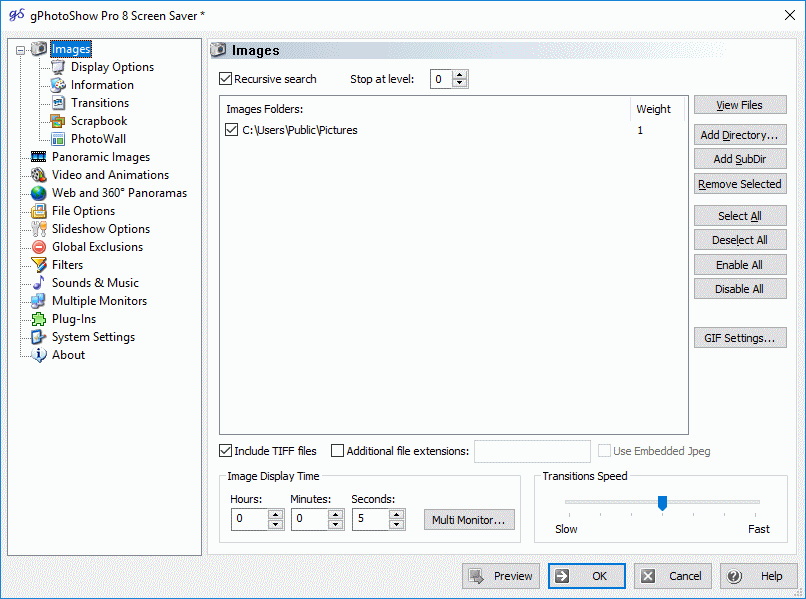
gPhotoShow Pro is a professional photo slideshow maker and screen saver for Windows. It turns your photo and video collection into a captivating visual experience with over 70 DirectX 11 hardware-accelerated transition effects.
Creative display modes bring your photos to life: Pan & Zoom (Ken Burns effect) smoothly animates across your images, PhotoWall arranges them as a scrolling mosaic, PhotoTunnel creates a mesmerizing 3D tunnel, and Scrapbook overlays pictures in a natural collage style. The Cinematic effect adds professional depth-of-field simulation, while Atmospheric Dust overlays floating particles and bokeh lights.
View 360-degree spherical panoramas interactively, play videos with VLC integration, and record your slideshows as H.264 or HEVC video files. Display Exif, IPTC, and XMP metadata with fully customizable text overlays. Smart filters let you show photos by rating, keywords, date, or orientation.
gPhotoShow Pro supports multi-monitor setups with up to 32 displays, each running an independent slideshow. Add background music with playlists and Do Not Disturb scheduling. Use weighted randomization to prioritize your favorite folders, ratings, or recent photos.
Create standalone slideshow executables (.exe or .scr) for royalty-free distribution. Supports JPEG, PNG, TIFF, BMP, GIF, RAW (via WIC codecs), HEIC/HEIF, and all common video formats.
Einblenden / Ausblenden
Hier können Sie die Update-Infos für dieses Programm abonnieren. Sie erhalten dann zukünftig eine Benachrichtigung per Email, sobald ein Update zu diesem Programm eingetragen wurde.
Um die Update-Infos zu abonnieren, tragen Sie nachfolgend Ihre E-Mail-Adresse ein. Sie erhalten dann eine E-Mail mit einem Link, über den Sie das Abo bestätigen müssen.
Sie können die Update-Infos jederzeit wieder abbestellen. Hierzu finden Sie am Ende jeder E-Mail mit Update-Infos einen entsprechenden Link.
Dieser Service ist für Sie vollkommen kostenlos.
Kommentare zu gPhotoShow Pro
Einblenden / Ausblenden
Bisher gibt es keine Kommentare zu diesem Programm.
Selbst einen Kommentar schreiben